
Live leave balances
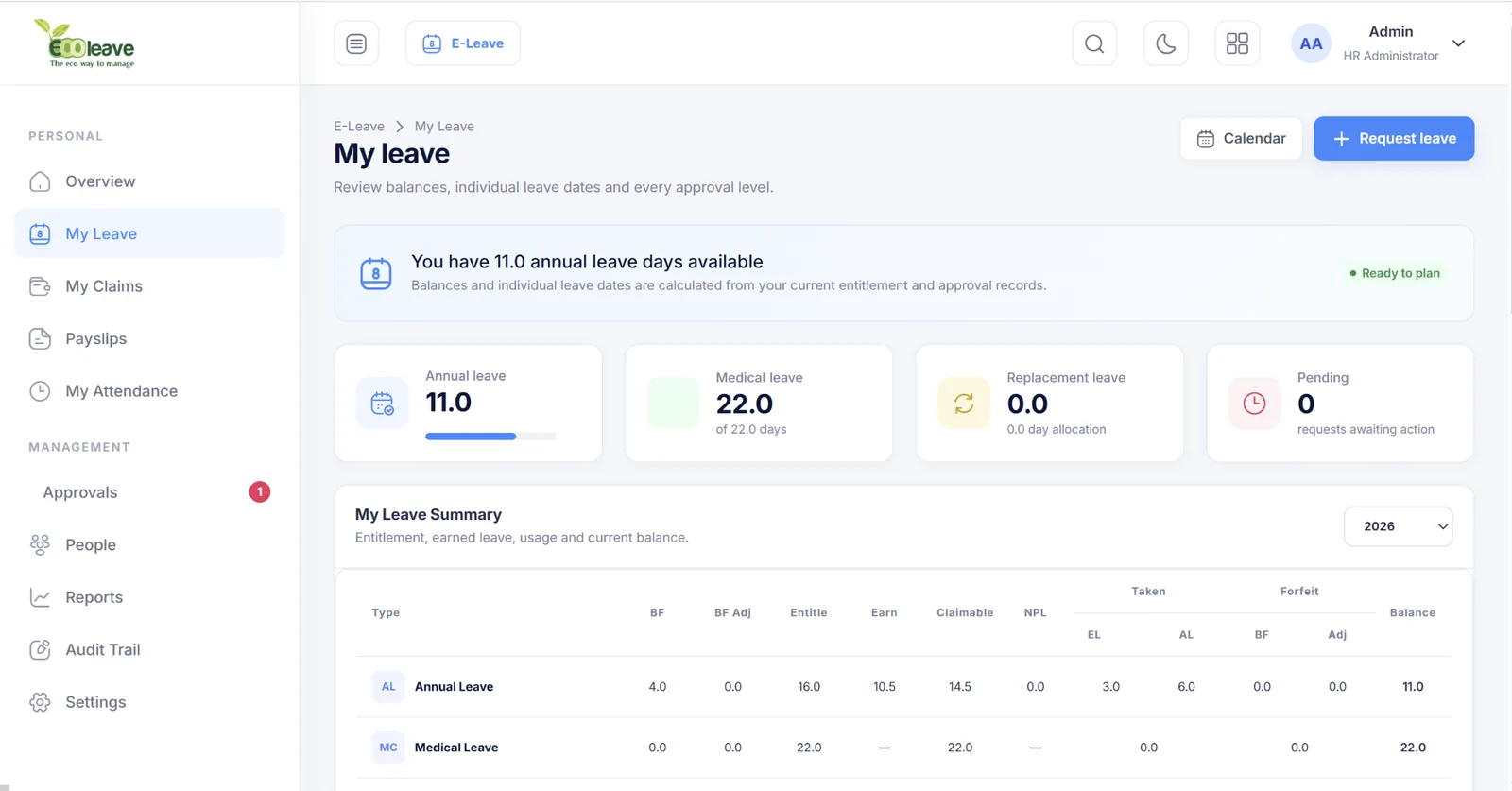
Employees can review entitlement, earned, claimable, taken, forfeited and remaining balances.
E-Leave management
Employees see their balances and dates clearly. Managers approve with context. HR manages entitlements, policies, calendars and reports without manual spreadsheets.
Every step is designed to reduce questions, manual checking and duplicated records.
Employees can review entitlement, earned, claimable, taken, forfeited and remaining balances.
Assign up to five approval levels for individual employees or organisation structures.
Authorised managers and HR can submit leave for employees when circumstances require it.
Filter calendars, approvals and reports by branch, category and department.
Keep employees and approvers informed when applications are submitted or decided.
Generate summaries and detailed transactions for planning and payroll preparation.
Approvers can focus on requests waiting for action, while HR can review processed records, work coverage, dates, status and decision history.
E-Leave settings bring the main V6 setup functions into a modern workspace without removing the flexibility HR teams rely on.
Maintain holidays and rest day rules used in leave calculations.
Configure leave types and entitlement rules by employee group.
Assign approval responsibility and employee relationships.
Set block days, leave controls and employee-level administration.
Use module tabs, filters, date ranges and exports to move from organisation summary to detailed employee transactions.




Yes. HR can configure multiple leave types and assign entitlement rules based on the organisation’s policies and employee groups.
Yes. Approval routing can be assigned around individual employees, managers and authorised approvers, with support for multiple levels.
Yes. Apply-on-behalf functions support authorised HR users and managers for urgent or exceptional situations.
Yes. Ecoleave reports are designed for filtered review and export to support management and payroll processes.
Start with your current leave policy and approval structure. Our team will help configure E-Leave around it.